

00 Product
iVisitor
Visitor Management for Multi-Site Organisations
Visitor management for multi-site.
Built by Tech Lead Malaysia
- Status
- Ready to use
- Platforms
- Web · Kiosk
- Sector
- Security
- Built by
- Tech Lead Malaysia Sdn. Bhd.
- MOF
- 357-0002439120
01 Problem → Solution → Impact
Replace the tenant's stamp with one tap and proof of every visit.
The workflow, end to end
was manual, now in the systemdone in the system
- 01Lobby QRmanual → system
- 02Check inmanual → system
- 03Blacklist checkmanual → system
- 04Tenant confirmsmanual → system
- 05Check outmanual → system
- 06Proof reportmanual → system
- 07Delete datadone in the system
Impact
UsersExpected result
Guards no longer chase stamped slips
ManagementExpected result
Proof of every visit in one report
OrganisationExpected result
Visitor data deleted as the notice promises
StrategicExpected result
Proof is permanent and cannot be deleted
What we bring that clients don't see Visitors' personal details are deleted automatically every day once the retention period in the PDPA notice ends.
Case scenarioIllustrative scenario
A visitor to a tenant in an office building
The old way
The visitor writes their name and IC number in the logbook at the guard counter, takes a slip and goes up to the tenant's office. The tenant stamps the slip, the visitor returns it to the guard, and that slip is hard to find when needed.
Root cause: Visit approval and records depend on paper and stamps.
Same-day result: Building management can check proof of every visit that day without a single paper slip.
With the system
The visitor scans the lobby QR or uses a pre-registration link and gives consent.
The system matches the visitor against the blacklist at check-in.
The guard scans the QR pass and allows entry with one tap.
The tenant receives a link and taps Confirm; the decision is saved with the time.
The guard scans them out; the visit goes into the Visit Proof Report (screen, CSV, PDF).
Who else needs this Managers of multi-tenant office buildings, factories and government premises
If your tenants still stamp visitor slips, iVisitor replaces the stamp with one tap and a proof report you can check any time.
Bring us the problem. In a working session, the team that built this system will show you the IT way to solve it, with your data.
Email [email protected]02 What it does
What iVisitor does.
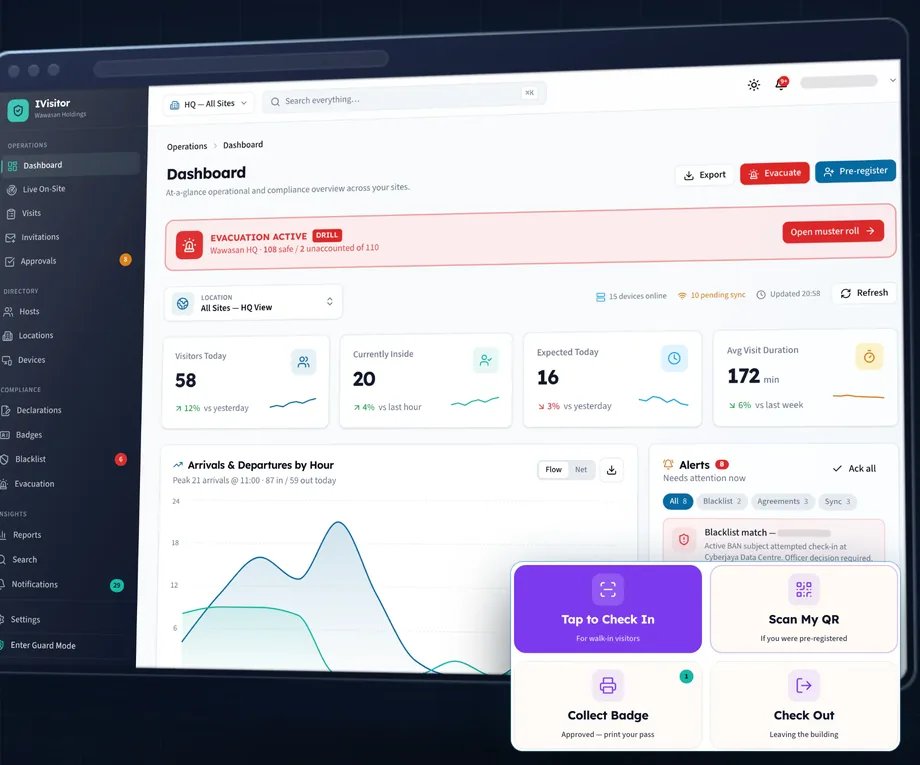
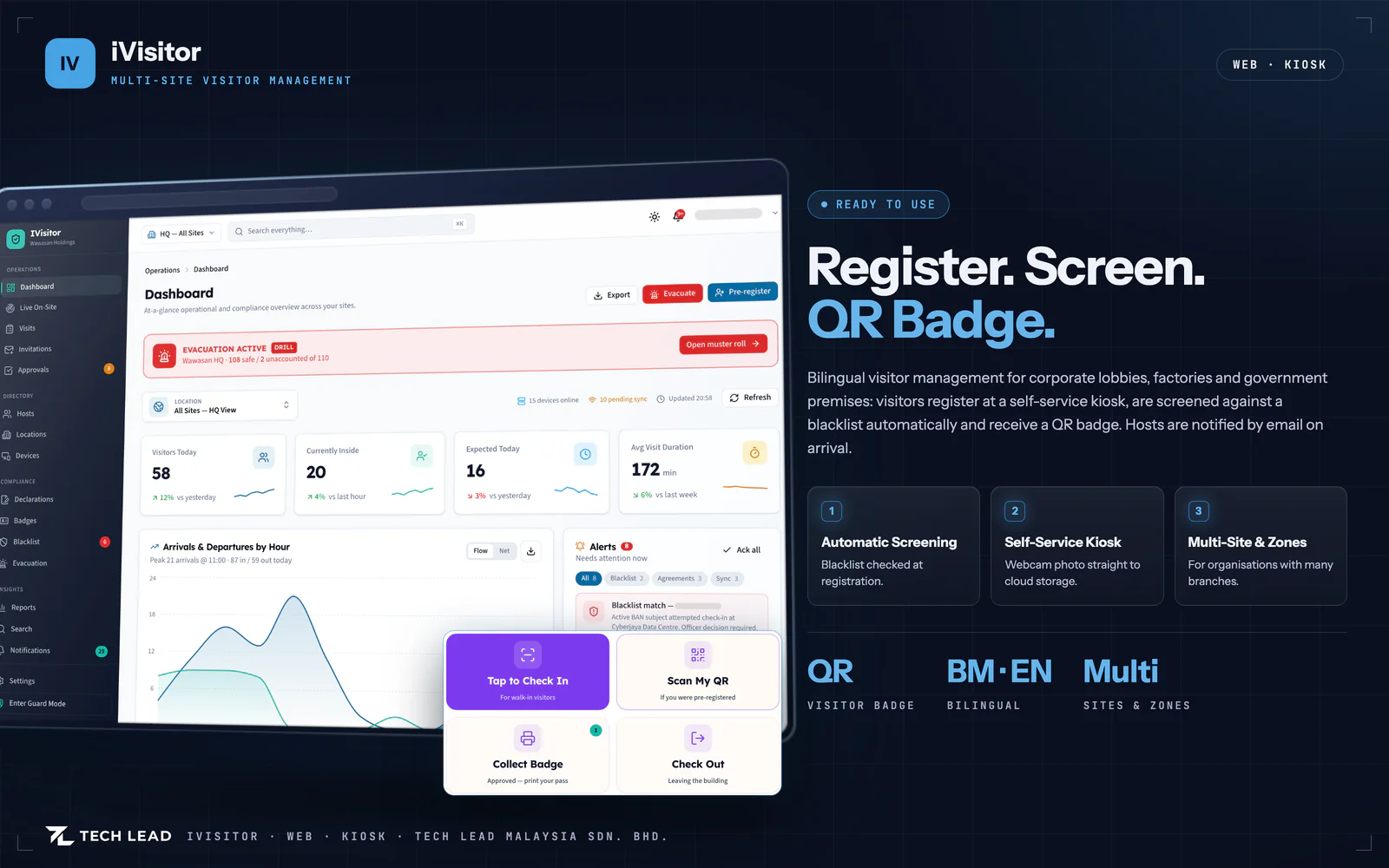
Bilingual visitor management for corporate lobbies, factories and government premises. Visitors register at a kiosk or reception, are screened against a blacklist at check-in, and receive a QR badge; hosts are notified by email. Includes invitations, signed declarations, contractor safety inductions, a guard mode with a live on-site board, and multi-site zones.
- 01Visitors register at a self-service kiosk or at reception
- 02Automatic blacklist screening at check-in
- 03A QR badge that prints or downloads as a PDF
- 04Hosts are notified by e-mail on arrival and departure
- 05Invitations, signed declarations and contractor safety inductions
- 06Guard mode with a live on-site board
- 07Multi-site and zone management
03 Inside the system
How iVisitor works, step by step.
Screens from the product, with sample data.
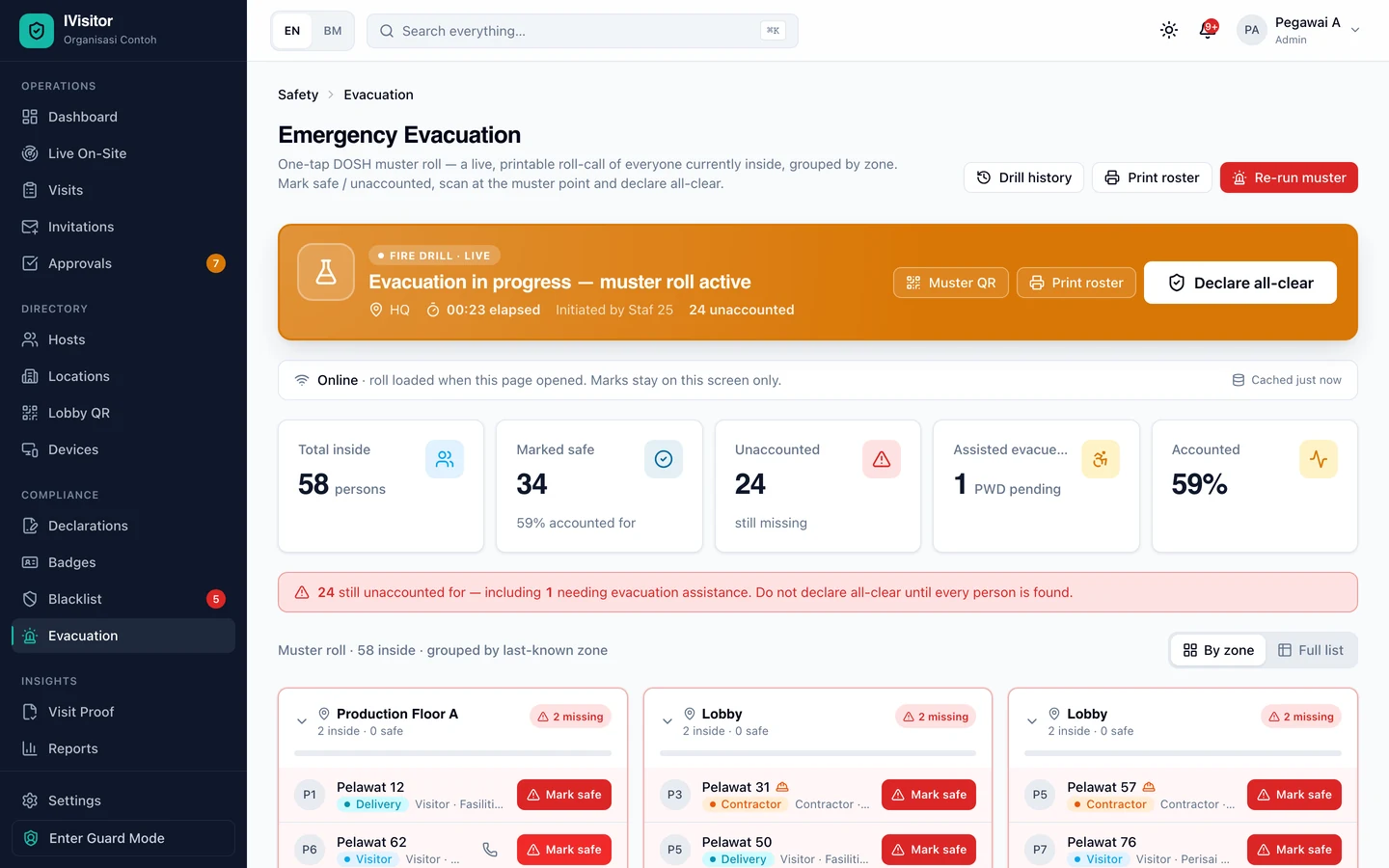
In an emergency, know who is still inside
During a fire drill, everyone on site is listed by zone; staff mark people safe with one click and the screen shows who is still missing.
★ In an emergency, know who is still inside
01 Visitors check themselves in
02 Approve visits and contractor permits
03 Everyone on site, live
04 Today's visitors
- 01Visitors check themselves in
- 02Approve visits and contractor permits
- 03Everyone on site, live
- 04Today's visitors
-
01
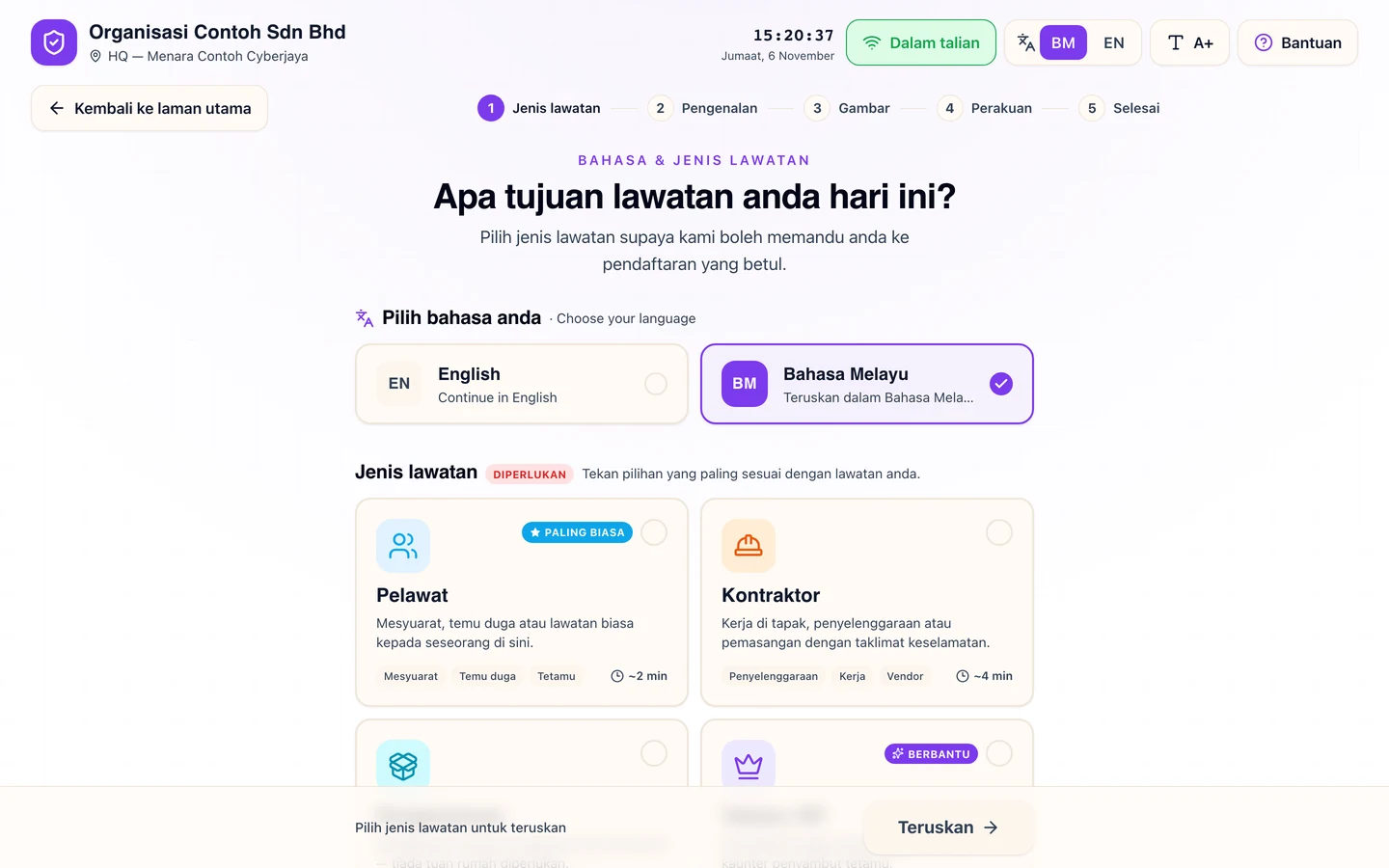
Visitors check themselves in
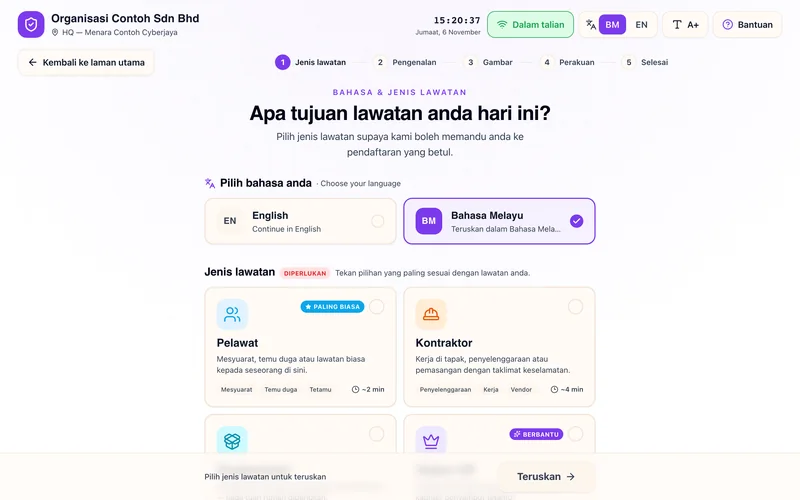
At the lobby kiosk, visitors pick their language and the type of visit, then follow a few short steps.
iVisitor · Visitors check themselves in -
02
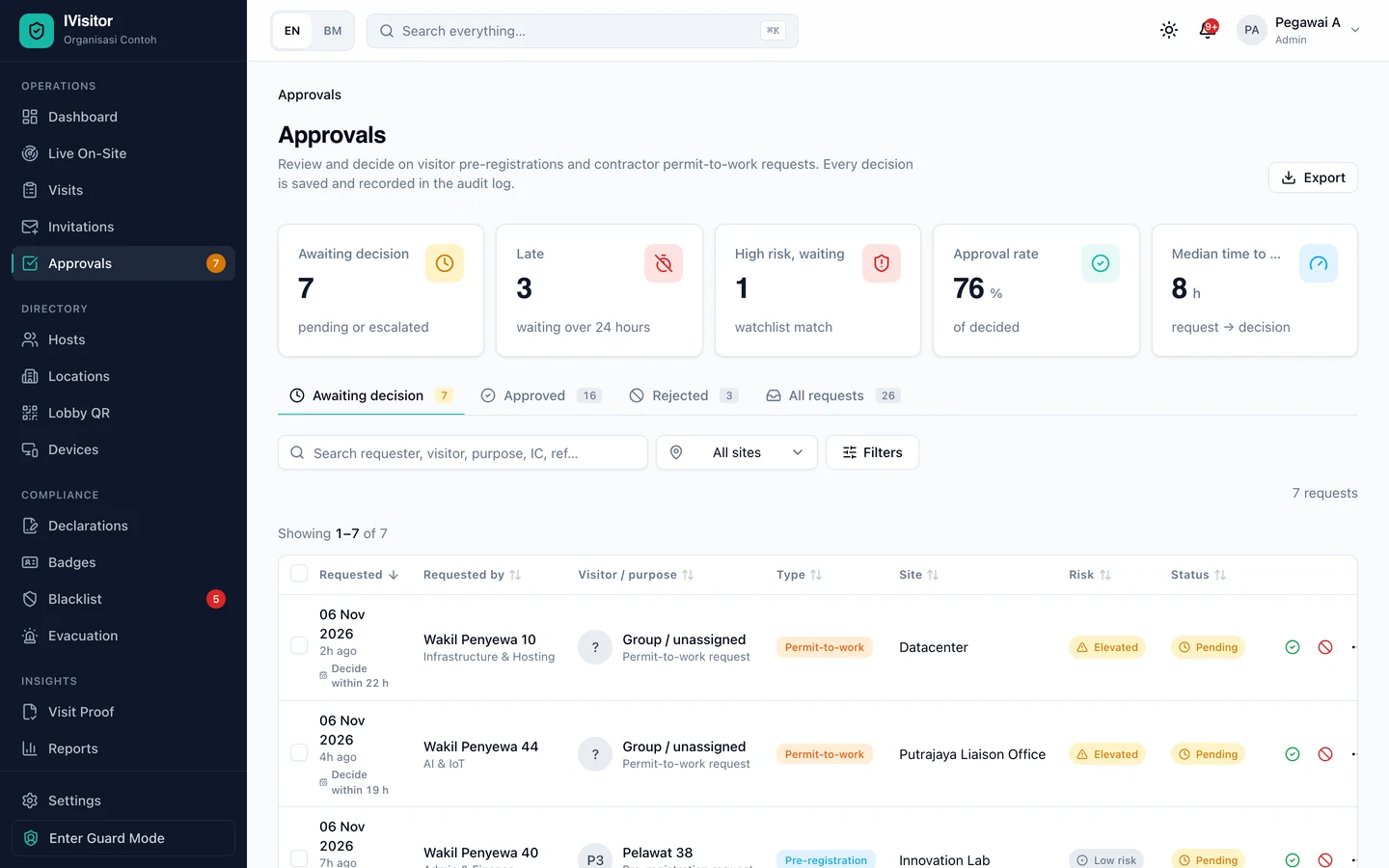
Approve visits and contractor permits
Pre-registered visits and contractor work permits wait for a decision, with their risk level and deadline.
iVisitor · Approve visits and contractor permits -
03
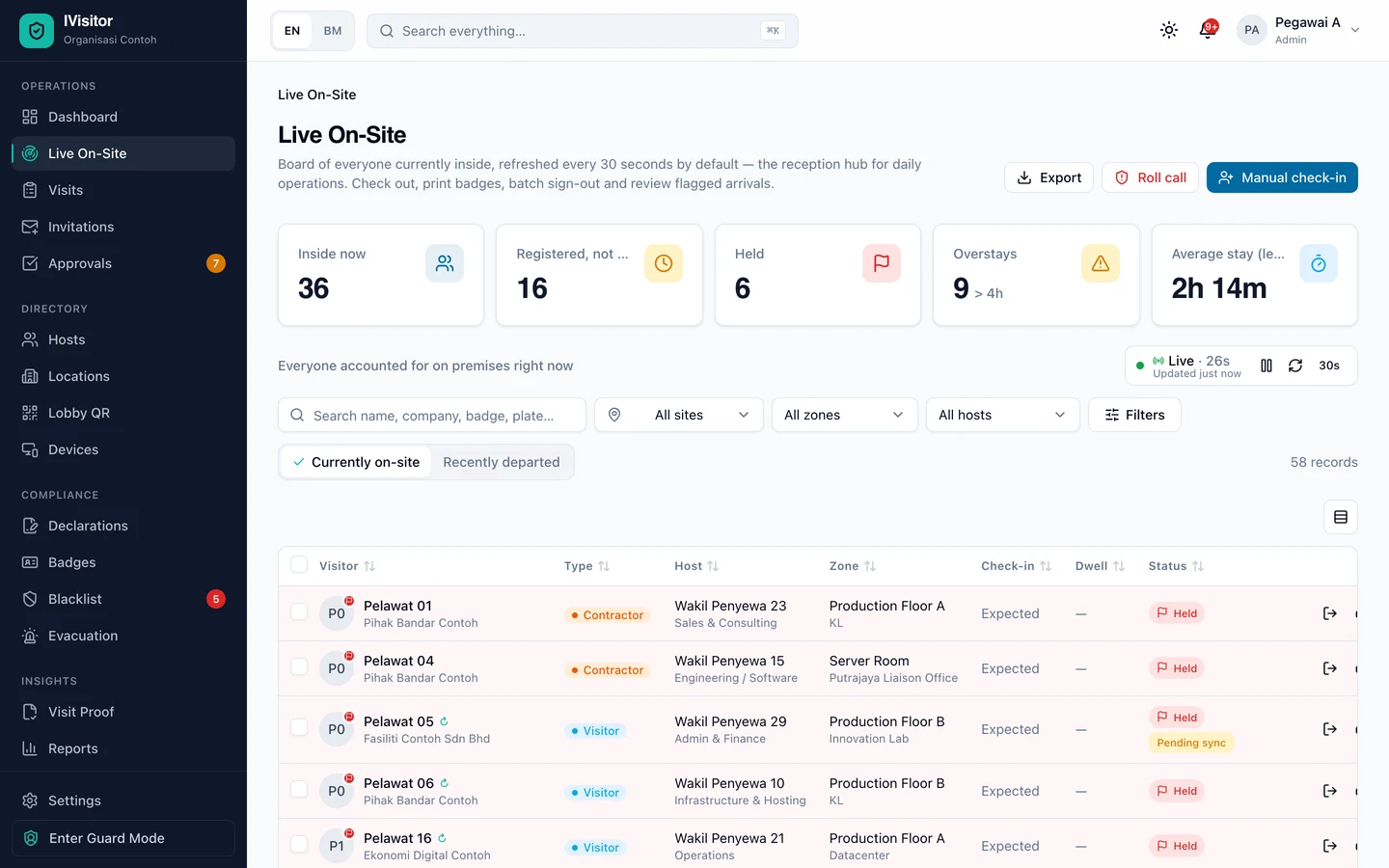
Everyone on site, live
Reception sees who is inside now, who is overstaying and who is held at the door, and can check people out or print passes.
iVisitor · Everyone on site, live -
04
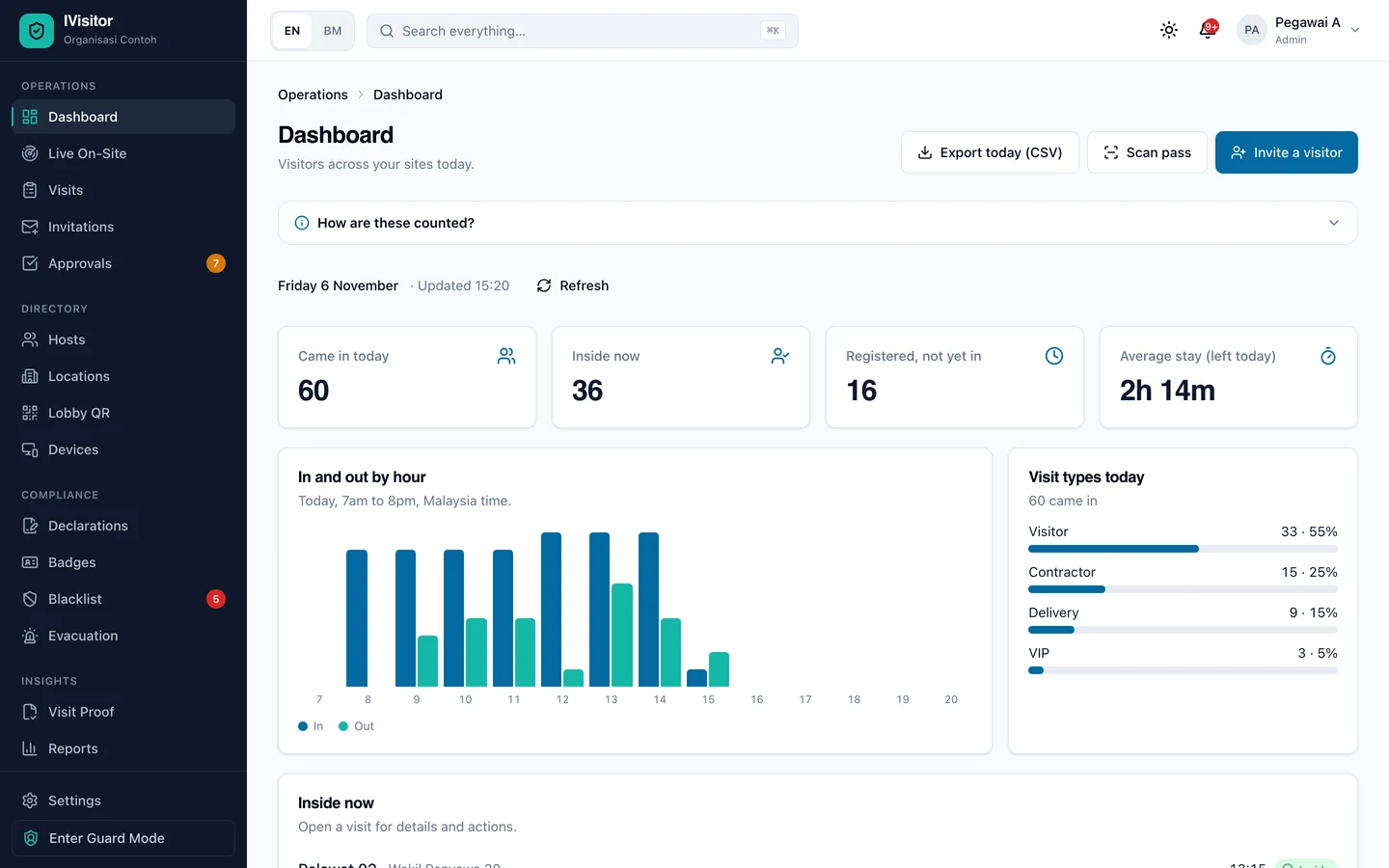
Today's visitors
Arrivals, people inside, expected visitors and average stay, with visits in and out by hour.
iVisitor · Today's visitors
04 Why it stands out
Why iVisitor stands out.
- 01
Blacklist check at the door, not from memory
Every check-in is matched against the blacklist; a match flags the visit and is logged, so it does not depend on the guard remembering faces.
- 02
Safety briefing and declarations before entry
Signed declarations and contractor safety inductions are part of the same check-in, not a separate paper form.
- 03
One system for many branches
Sites and zones are managed in one place, for organisations with many branches.
- 04
Bahasa Melayu and English
Visitors and staff can use the system in Bahasa Melayu or English.
05 Build · Host · Run
Build. Host. Run.
The team that built this product can also host it and keep it running.
B Build
Built by one team
One roof: build, host and maintain.
H Host
Hosted, if you want, on our own servers in a Kuala Lumpur data centre
We run our own server infrastructure in a Kuala Lumpur data centre, on-shore in Malaysia, and offer it as hosting: from a single website to systems whose data must stay in the country.
R Run
Managed operations
Patching, backups and monitoring by the team that built the system.

07 Contact
Talk to us about iVisitor.
Tell us what you need to run. We will reply with an honest view of scope, timeline and the right procurement route.
01 WhatsApp
+60 11-3309 6171
For a first word, or to set up a working session.
Open WhatsApp02 E-mail
For letters, invitations to quote and documents for your file.
Send an e-mail03 Brief · 3 questions
Write the brief
Three short answers, sent as an e-mail to [email protected]. Nothing is stored on this site.
Write the brief
Who you will meet
 Razlan RazakFounder & Director
 Nabil RadzuwanProject Manager
Razlan Razak, Founder & Director, and Nabil Radzuwan, Project Manager, lead the first working session.
What happens next
- 1You tell usWhat you need to run, by WhatsApp, e-mail or a brief.
- 2We replyAn honest view of scope and timeline.
- 3The right routeThe procurement route that fits your system.